
This update fixes sleep mode and brightness control issues.
Please feel free to contact our support team via support@vibe.us if you need any help while doing the update.
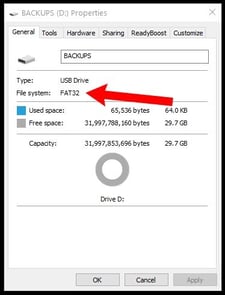
- Plug the connector of an empty USB Flash drive (formatted with FAT32) into a USB port on the computer. Wait for the icon of the USB Flash drive to appear on the computer's desktop or file directory.
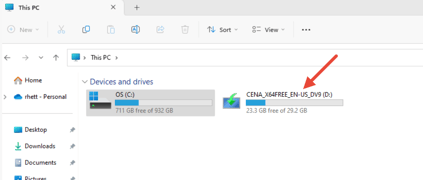
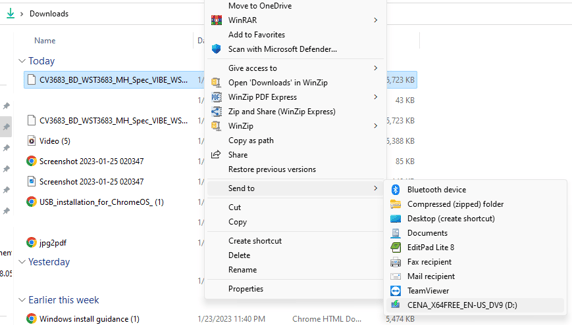
- Download this file, and copy the file from the location in your download folder to the root folder of your USB drive. You can copy and paste, send to, or drag and drop.
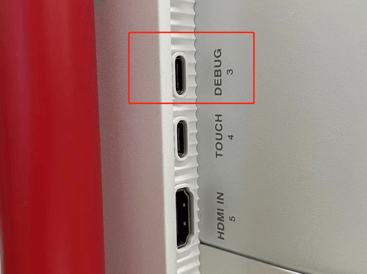
- Eject the USB from the computer. Keep your board powered on and insert the flash drive to the "3.DEBUG" port. You will need a USB to USB-C adapter for this.
- Unplug the board's power cable to shut down the board completely.
Note: DO NOT press power button to ON/OFF, otherwise it will not trigger the update.
5. Once the board powers down, plug the power cable back in.
6. The system will update automatically. The power button will light up as the board updates. You will expect to see black screen for around 30-60 seconds.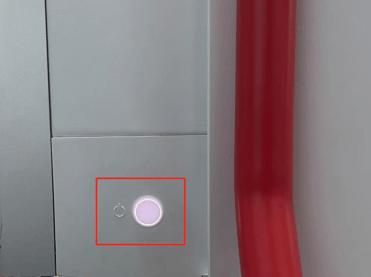
7. The board will restart automatically once the update is complete. Don't forget to unplug the flash drive once you're done!
Additionally, below is the QR code if you want to view this article on your cell phone while doing the update.