![Vibe_logo_RGB_NoText.png]](https://pages.vibe.us/hs-fs/hubfs/Vibe_logo_RGB_NoText.png?height=40&name=Vibe_logo_RGB_NoText.png)
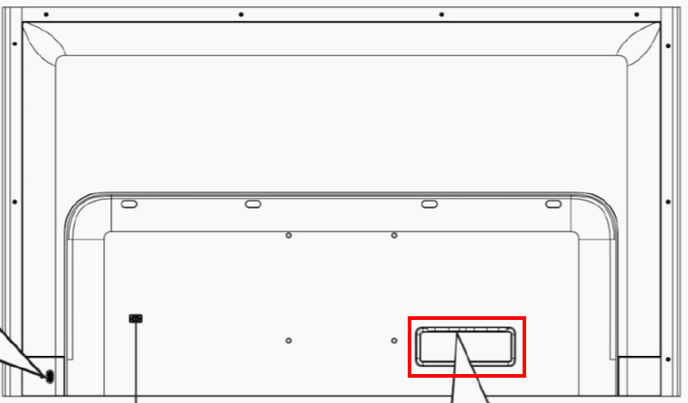
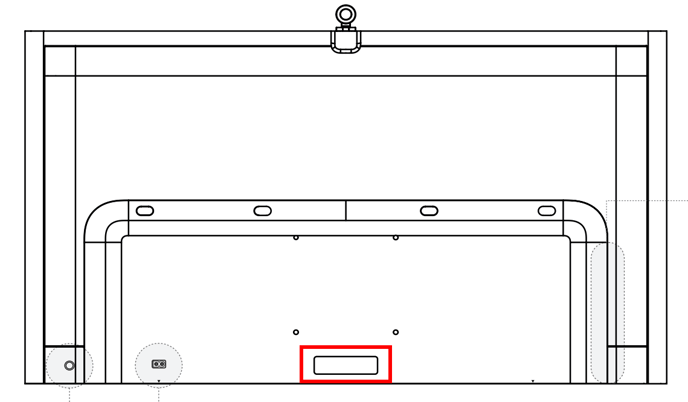
Option 1: From the hardware sticker located on the back of the board
Vibe V1 55" - Bottom right corner on the back of the board
Vibe S1 55" - Bottom middle on the back of the board
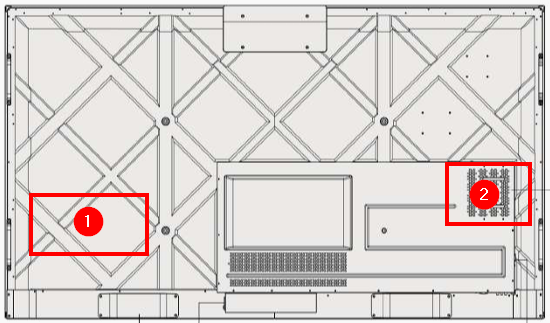
Vibe Pro 75" - 1. Board serial number left side
2. OPS serial number right side
Option 2: From the device interface
Vibe V1 55" -
Click on the up caret on the launch bar
Click on the Settings Gear icon
Scroll down to the General section
Click on About Vibe
Vibe S1 55" and Vibe Pro 75" -
Click Touch to Start
Click the up caret on the launch bar and touch the Settings Gear icon
Click About Chrome OS