![Vibe_logo_RGB_NoText.png]](https://pages.vibe.us/hs-fs/hubfs/Vibe_logo_RGB_NoText.png?height=40&name=Vibe_logo_RGB_NoText.png)
This article only applies to our 75" Vibe Board.
Refer to the below video:
1. Make sure the HDMI cable is plugged into the HDMI-in port from the Vibe Board
2. Click the OK button on the remote
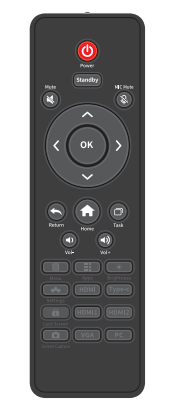
3. Select HDMI using the remote
-jpg.jpeg)
4. Select OK
This article only applies to our 75" Vibe Board.
Refer to the below video:
1. Make sure the HDMI cable is plugged into the HDMI-in port from the Vibe Board
2. Click the OK button on the remote
3. Select HDMI using the remote
4. Select OK