![Vibe_logo_RGB_NoText.png]](https://pages.vibe.us/hs-fs/hubfs/Vibe_logo_RGB_NoText.png?height=40&name=Vibe_logo_RGB_NoText.png)
Sleep mode can be changed following these steps below:
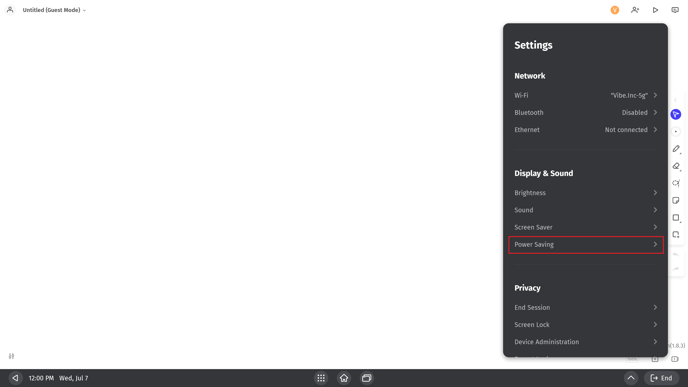
- Go to Settings - Power Saving.
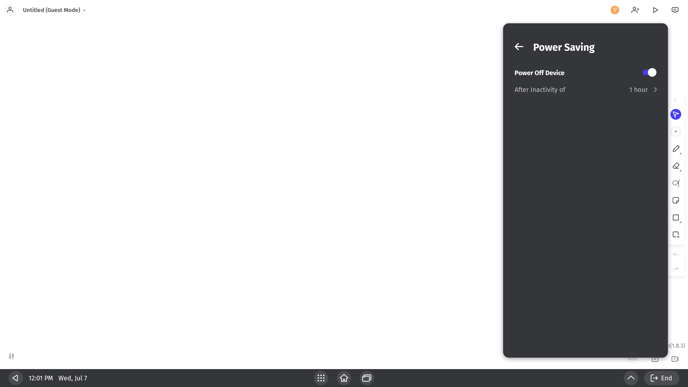
- You will see a switch to enable or disable auto 'Power Off Device', which is on as a default. Switch it off if you want your Vibe board to be on at all times.
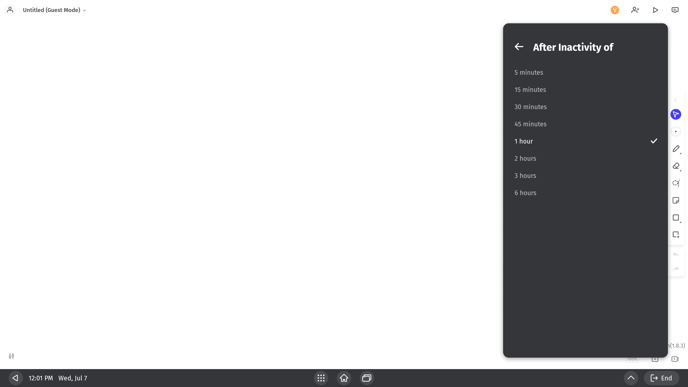
- There, you can also adjust sleep settings and set how much time of inactivity should pass before going into a standby state automatically to save power.